Transform YouTube into a
focused learning environment
YT Scholar hides the feed, Shorts, and autoplay — then adds what YouTube never had: timestamped notes, AI summaries, flashcards and quizzes, structured courses, and export to Notion, Google Docs, and Anki.
Free plan forever · No credit card · 2-minute setup
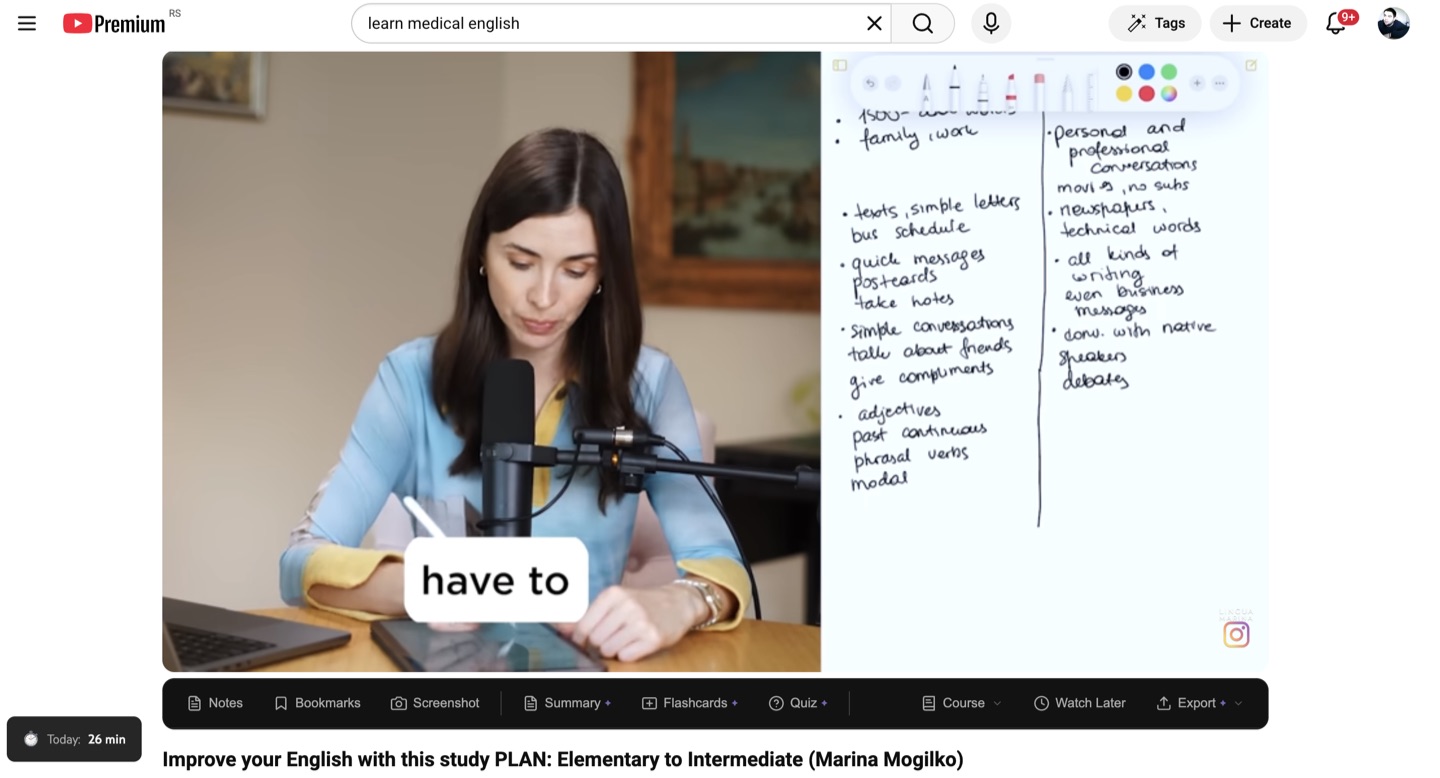
YouTube wasn't built for learning.
YT Scholar is.
Drag the handle. Same video, same page — without and with YT Scholar.
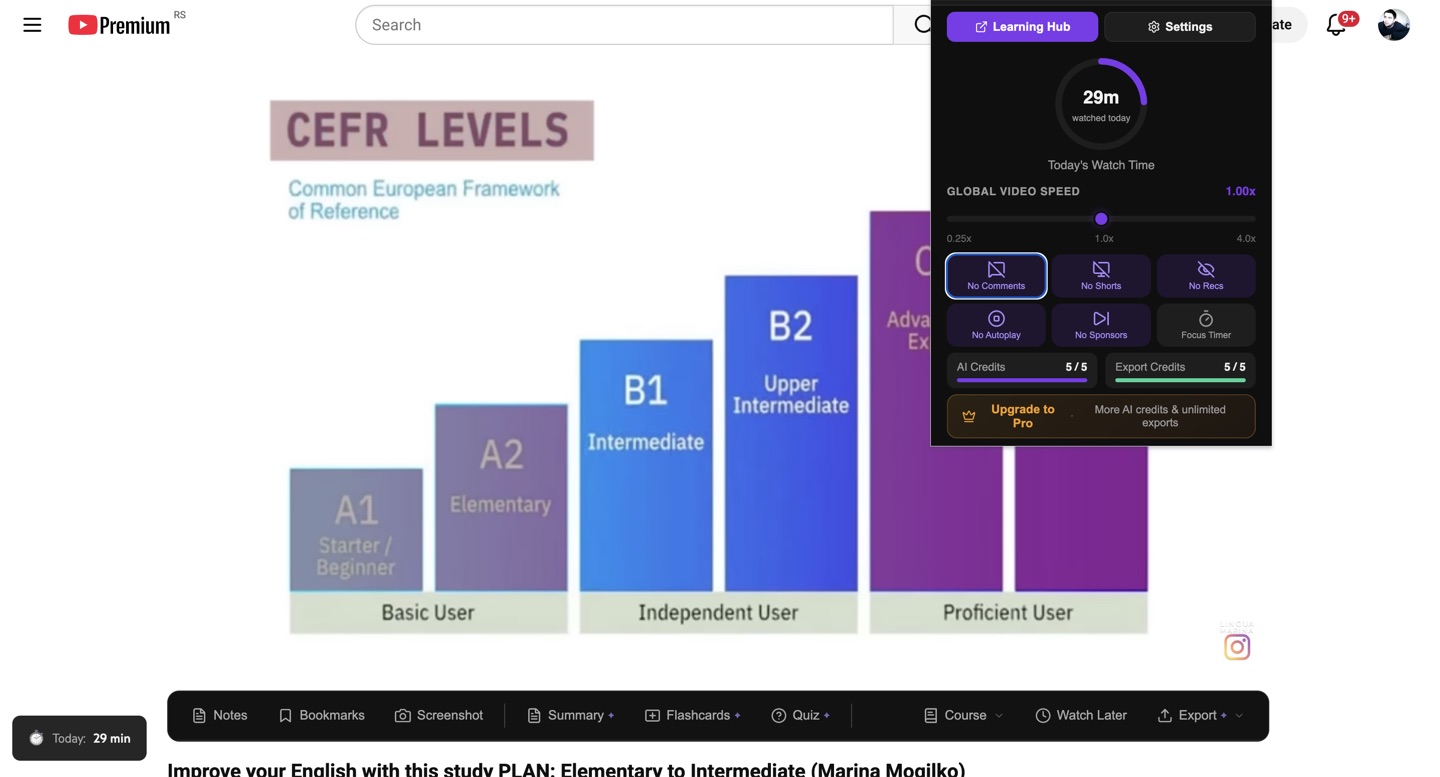 BeforeAfter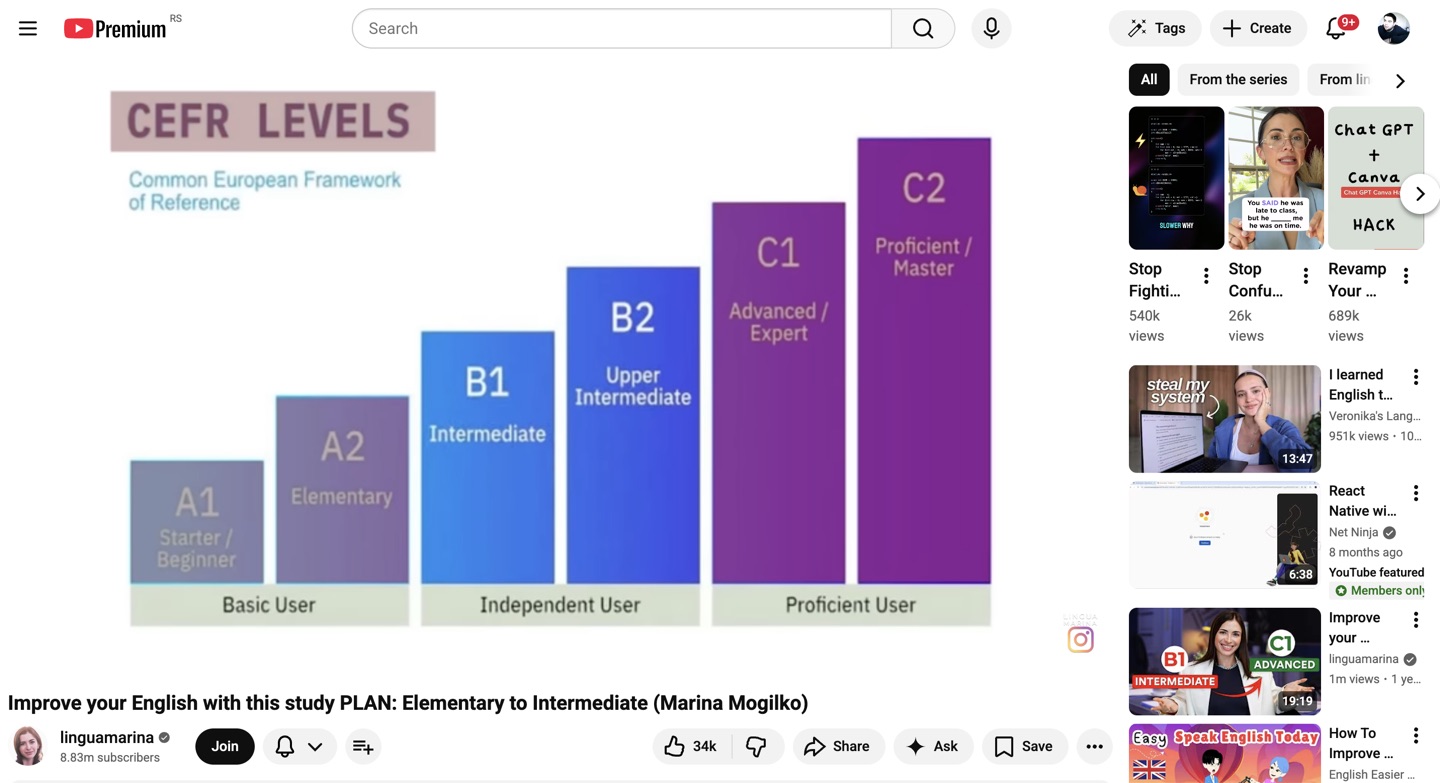
One video turns into a 3-hour rabbit hole
Just the video — no feed, Shorts, or autoplay
Watch a 2-hour tutorial, forget it next week
Notes, flashcards & quizzes as you watch
Insights scattered across four different apps
One Library, exportable to your tools
Don't have a curriculum?
Ask for one.
Tell YT Scholar what you want to learn — “SQL from scratch”, “conversational Spanish”, “linear algebra”. It plans a structured course from real YouTube videos, tuned to your skill level and how deep you want to go. Edit it, save it, and track your progress video by video.
- Pick your skill level, course length, and content style
- AI selects and orders real YouTube videos into a learning path
- Review and edit the plan before saving
- Included on every plan — costs 1 AI credit
- 2:26
SQL in 100 Seconds
Fireship
- 18:42
SELECT, WHERE & Filtering
freeCodeCamp
- 12:05
JOINs Explained Visually
ByteByteGo
- 15:31
GROUP BY & Aggregations
Programming with Mosh
- 21:14
Indexes & Query Performance
Hussein Nasser
Illustration of the in-extension wizard
Try it on the next video you watch
Free plan forever · No credit card · 2-minute setup
Everything you need to
learn from YouTube
One learning loop: focus on the video, capture what matters, study it, organize it, and keep it forever.
Remove the noise. Stay in the zone.
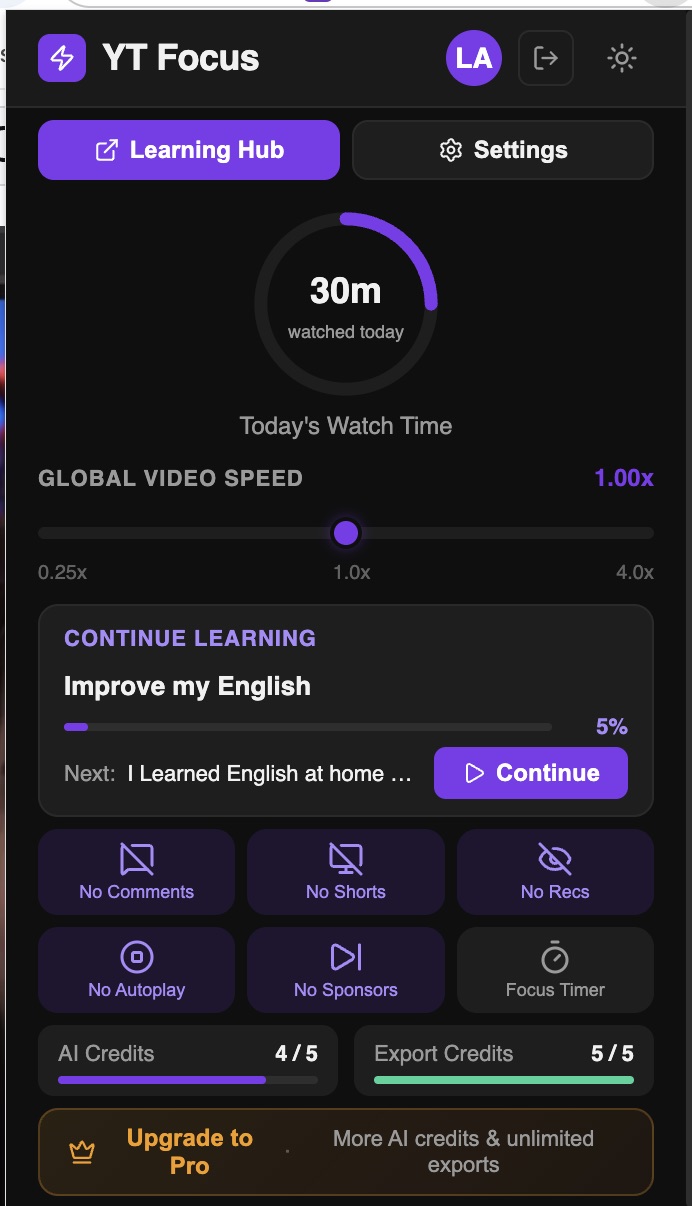
YouTube is designed to keep you watching. YT Scholar gives you back control — hide the addictive parts, tune the pace, and put a limit on your day.
- Hide recommendations, Shorts, comments, autoplay & end screens — each toggled independently
- Playback speed 0.25x–4x, steps as fine as 0.05x
- Pomodoro focus timer with configurable work/break cycles
- Watch-time tracking with daily limits and warnings
Never lose an insight again.
Notes that link to the exact second in the video. Bookmarks on the progress bar. Screenshot notes with captions. All of it searchable.
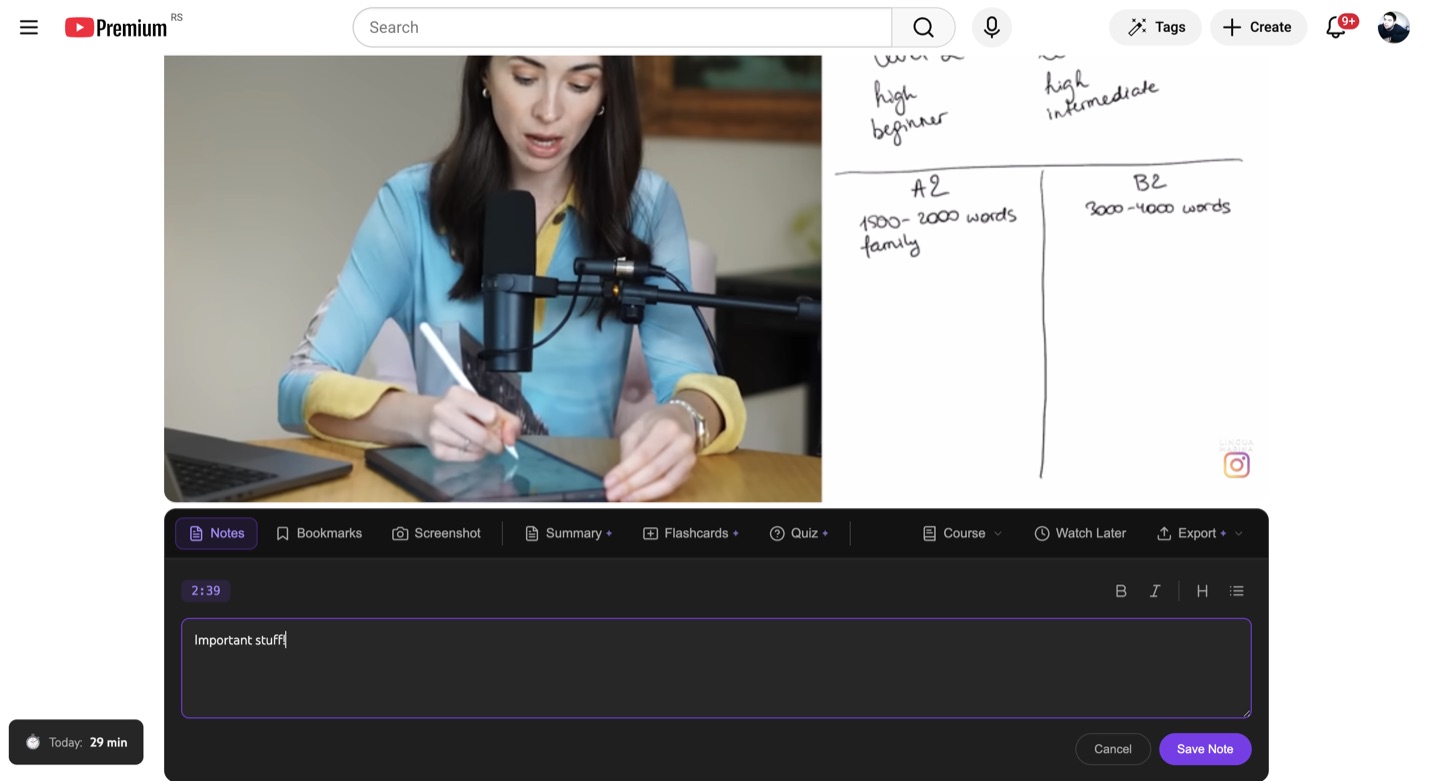
- Timestamped rich-text notes — click to jump back to the moment
- Color-coded bookmarks visible on the progress bar
- One-click screenshot notes with captions
- Search everything — note content, bookmark labels, summaries
- Keyboard shortcuts for everything (Shift+N, Shift+B, Shift+S)
Turn any video into a study session.
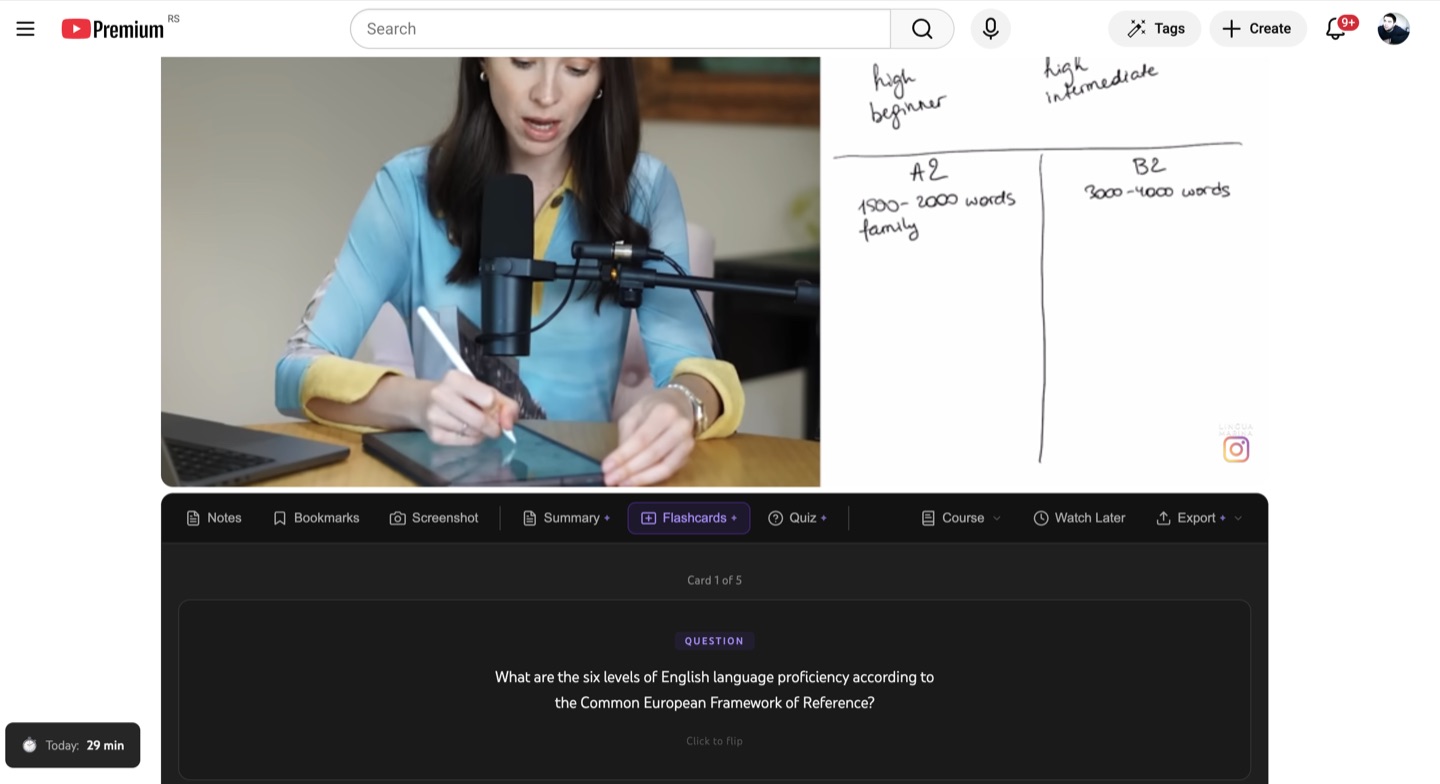
One click generates study materials from the video's transcript — then spaced-repetition reminders make sure they stick. Works on any video with captions. 1 credit per generation; the free plan includes 5 credits every month.
- AI Summaries — overview, key takeaways, timestamped moments
- AI Flashcards — flip-card review with spaced-repetition reminders
- AI Quizzes — explanations, scoring, and attempt history
- Everything is timestamped — click to jump to the source moment
Structure your learning. Track your progress.
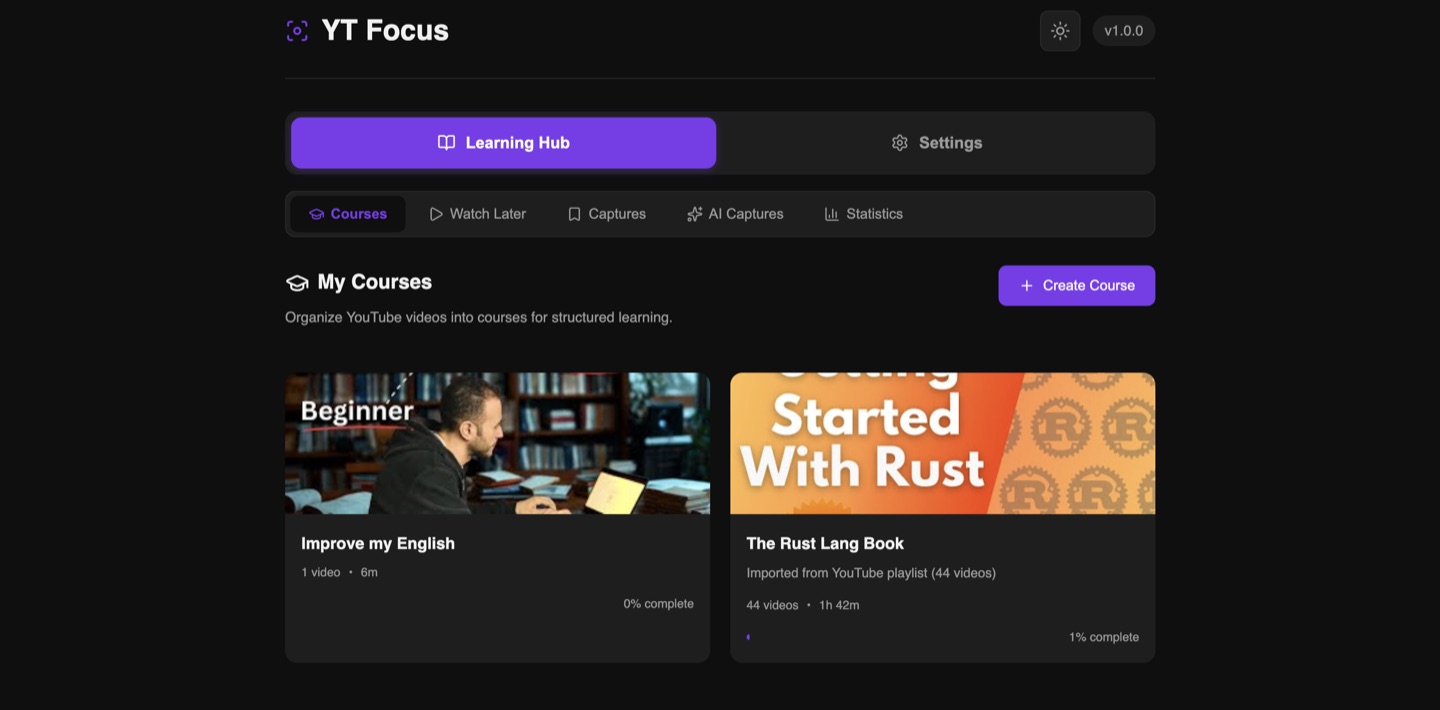
The Learning Hub is your second brain for YouTube — courses, Watch Later, every capture, and your stats in one place.
- Turn playlists into courses with progress tracking (up to 100 videos)
- Course bar on every video ("Video 3 of 12") and "Next in Course" when one ends
- Continue Learning card — resume exactly where you left off
- AI video suggestions for your courses (Pro)
- Watch Later queue, separate from courses
Your notes outlive the video.
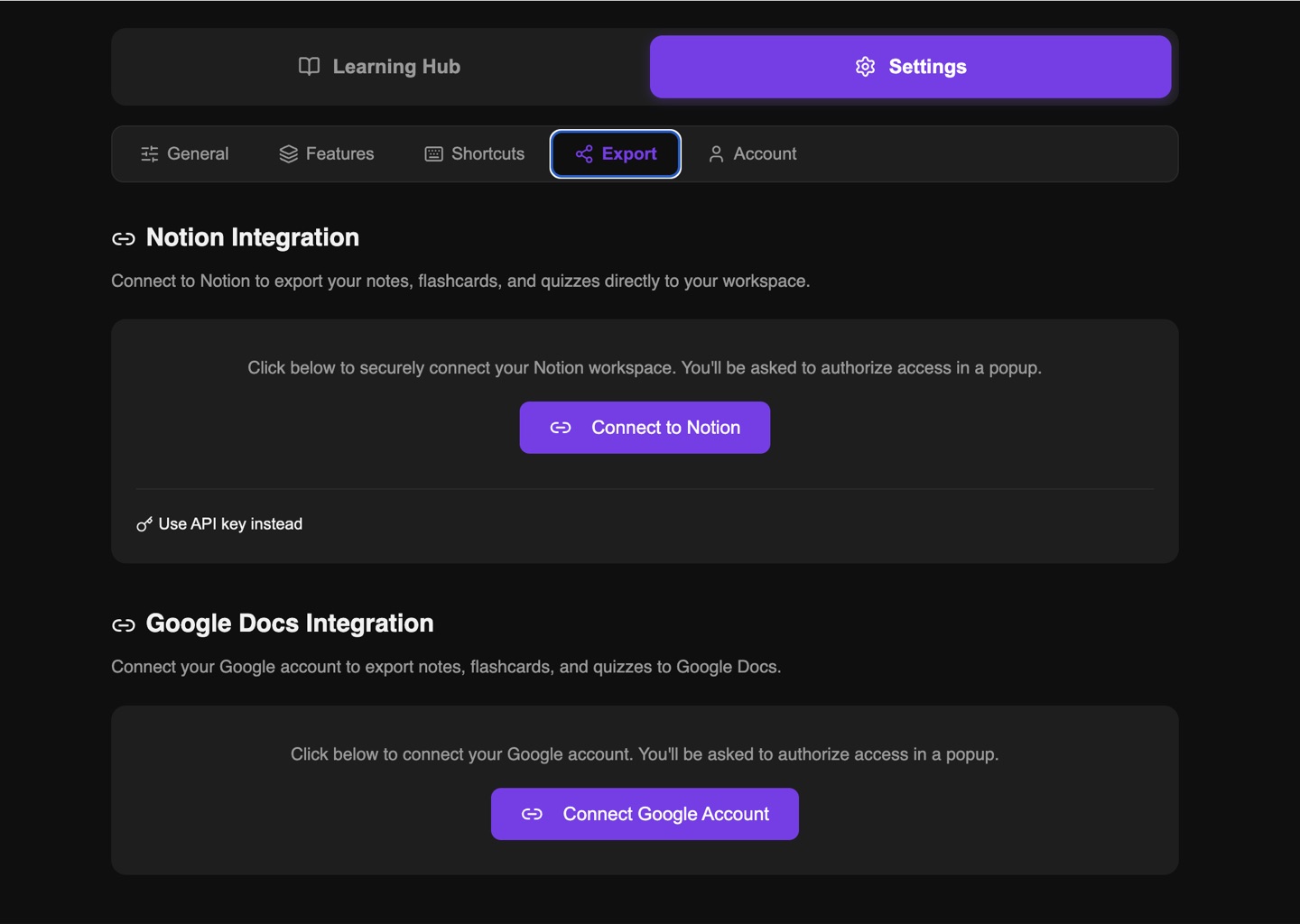
Send everything to the tools you already study in — formatting and clickable timestamps intact. Markdown export is free for everyone, so your data is never locked in.
- Notion & Google Docs export — one video or a whole course (Pro)
- Anki export — flashcards become importable decks (Scholar)
- Markdown export — free for everyone, even without an account
- Timestamps preserved as clickable links
Built for how you learn
Whatever you're learning on YouTube, YT Scholar fits the workflow.
Students
Turn lectures into flashcards before the exam.
Summarize a 90-minute lecture, quiz yourself on it, and get review reminders timed before you forget.
Self-taught developers
Turn tutorial playlists into real courses.
Import a playlist or let AI build the path, take timestamped notes on the tricky parts, and track your progress.
Lifelong learners
Watch less. Retain more.
Strip away the feed, set watch-time limits, and keep everything you learn organized and exportable.
Keyboard-first design
Every action at your fingertips. Press ? on any video to see the full list.
Why not just use a blocker, a notes app,
and a summarizer?
You could run three extensions. Or one that closes the whole loop — from focused watching to lasting knowledge.
| What you need | YT Scholar | Distraction blockers | Note-taking tools | AI summarizers |
|---|---|---|---|---|
| Hide feed, Shorts, comments & autoplay | ||||
| Timestamped notes & bookmarks on the video | ||||
| AI summaries from the transcript | ||||
| AI flashcards & quizzes with review reminders | ||||
| Courses with progress tracking + AI Course Builder | ||||
| Export to Notion, Google Docs, Anki & Markdown |
Category comparison based on typical single-purpose extensions (e.g. distraction hiders, YouTube note-takers, AI summary tools). Individual tools vary.
Up and running in seconds
Three steps to a better learning experience.
Install
Add YT Scholar to Chrome in one click. No account needed.
Take the 60-second tour
YT Scholar opens a sample video and walks you through notes, bookmarks, and AI tools — you're productive before the video ends.
Learn
Watch YouTube with focus. Take notes, generate flashcards, build courses, and export your knowledge.
Simple, transparent pricing
Start free. Upgrade when you need more AI credits and exports.
Free
- All distraction control features
- Unlimited notes, bookmarks & screenshots
- Speed control, focus timer & watch stats
- Courses, playlist import & Watch Later
- Cloud backup & sync (with free account)
- 5 AI credits/month — summaries, flashcards, quizzes & AI courses
- Unlimited Markdown export
- No account needed for core features
Pro
billed annually as $59/year
- Everything in Free, plus:
- 100 AI credits/month
- Unlimited exports to Notion & Google Docs
- Whole-course exports
- AI video suggestions for your courses
- Priority bug fixes
Upgrades happen inside the extension after install
Scholar
billed annually as $99/year
- Everything in Pro, plus:
- 400 AI credits/month
- Anki export — flashcards become decks
- Priority support
- Early access to new features
Upgrades happen inside the extension after install
1 AI credit = 1 AI action: a summary, a flashcard deck, a quiz, or an AI-built course. Credits reset monthly and don't roll over.
Start free — no credit card required.
Built with privacy in mind
We believe your learning data is yours. Here's how we protect it.
Local-first
All data saved to your browser first. Works offline. No account required for core features.
No third-party tracking
No third-party trackers, no ad networks, no data sold. Optional product analytics is off by default — opt in from Settings.
Minimal permissions
Only requests access to youtube.com and the APIs you connect (Notion, Google Docs).
EU-hosted data
Cloud sync powered by Supabase, hosted in the EU (eu-west-1, Ireland).
Open about permissions
Every Chrome permission explained transparently.
Your data, your control
Export your data anytime, or permanently delete your account and everything with it from Settings.
Extension Permissions
storage- Save settings, notes, bookmarks locally
scripting- Inject the editor panel and UI components
contextMenus- Right-click actions: screenshot, note, bookmark
identity- Sign-in and OAuth for Notion / Google Docs
notifications- Focus timer alerts & flashcard review reminders
alarms- Schedule spaced-repetition review reminders
Host Permissions
youtube.com- Core functionality
supabase.co- Account, cloud sync, and AI generation
api.notion.com- Notion export
googleapis.com- Google Docs export
Frequently asked questions
Everything you need to know about YT Scholar.
Yes. All core features — distraction blocking, notes, bookmarks, screenshots, speed control, focus timer, courses, and watch time tracking — are completely free with no account required. A free account adds cloud backup & sync and 5 AI credits every month, and Markdown export is free for everyone.
No account is needed for local features. A free account unlocks AI features (5 credits/month) and cloud backup & sync across devices. Exports to Notion and Google Docs are part of the Pro plan.
1 credit = 1 AI action: a summary, a flashcard deck, a quiz, or an AI-built course. Free accounts get 5 credits every month, Pro gets 100, and Scholar gets 400. Credits reset monthly and don't roll over.
YT Scholar reads the video's transcript (captions) and sends it to GPT-4o-mini to generate summaries, flashcards, or quizzes. This requires the video to have captions available. Each generation costs 1 AI credit.
All data is stored locally in your browser first. If you create an account, data syncs to Supabase (EU-hosted). We never sell your data or use it for advertising. You can export or delete everything from Settings.
The core features (notes, bookmarks, distraction blocking, speed control) work on every video. AI features require the video to have captions or subtitles.
Yes, YT Scholar works alongside YouTube Premium. They complement each other — Premium removes ads, YT Scholar adds learning tools.
Currently Chrome and Chromium-based browsers (Edge, Brave, Arc, etc.). Firefox support is planned.
YT Scholar's YouTube selectors update remotely — when YouTube ships a redesign, we can push a fix without waiting for a Chrome Web Store review. Most breakages are patched within hours.
No. YT Scholar hides elements with lightweight CSS and doesn't touch the video stream — no proxying, no interception. AI generation runs on our servers, not in your tab. If you ever notice a slowdown, report it from the Feedback tab and we'll investigate.
If something didn't work as expected, contact support within 14 days of the charge and we'll make it right — including a refund where appropriate. You can cancel anytime and keep access until the end of the billing period. See the Refund & Cancellation Policy for details.
You can cancel anytime from your account settings. Your plan stays active until the end of the billing period. After that, you revert to the free plan and keep all your local data.
Yes. Markdown export is free for everyone — copy any video's notes, bookmarks, flashcards, and summaries at any time, no account needed. Pro users can also export to Notion or Google Docs. Your local data remains in Chrome even without an account.
Start learning smarter today
Free forever. No credit card required. Install in seconds.